Five steps from consultation to signed note
A walkthrough of the AI Scribe with a fictional appointment: Zaatar, a six-year-old Saluki, in for her annual check with an itchy ear.
Five steps from consultation to signed note
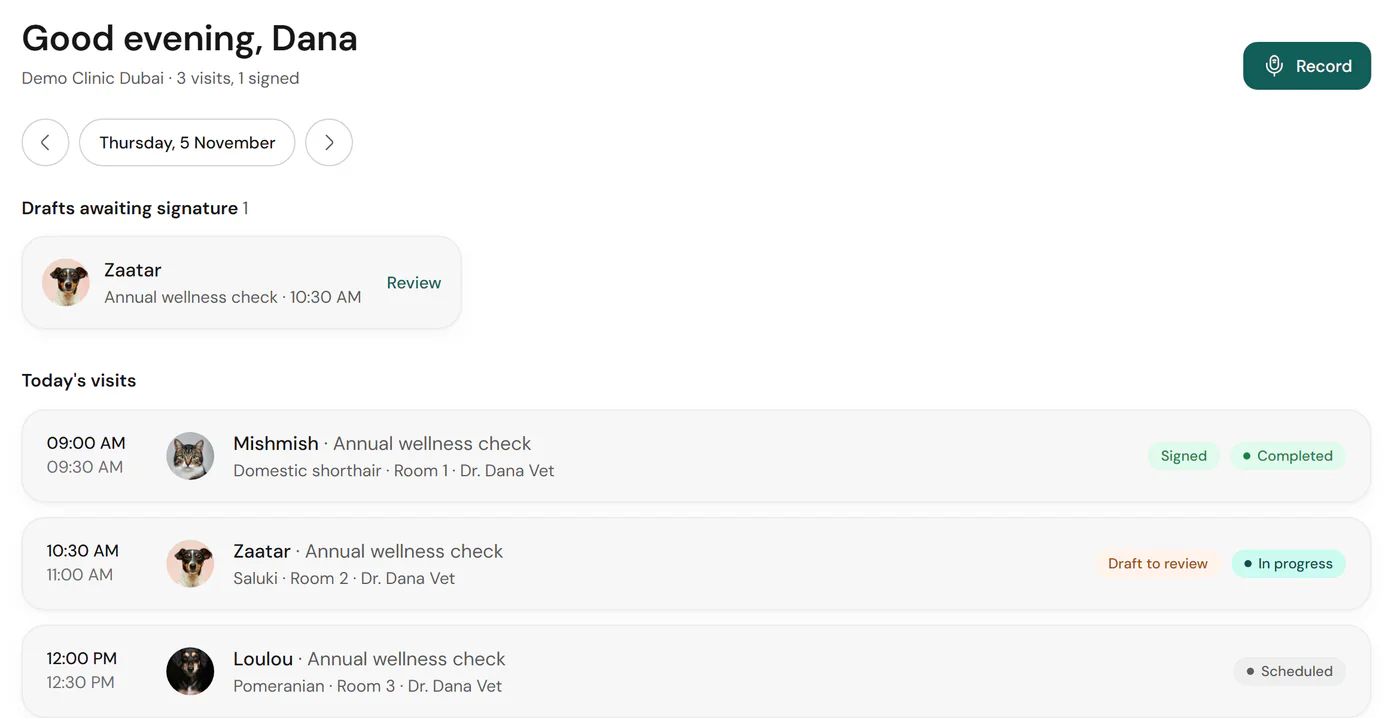
1. Select or create a visit
Open the visit from today’s list, or create one in a few taps if it isn’t there. The patient, owner and room come with it.
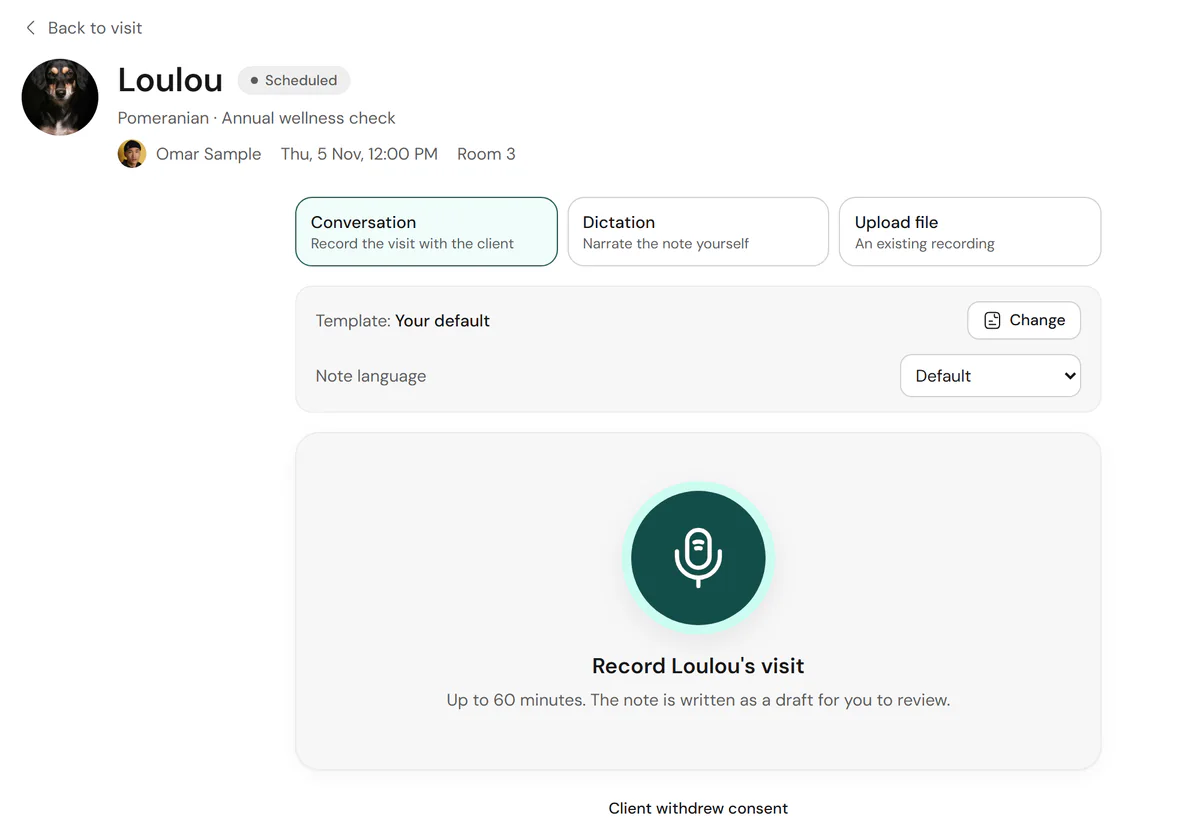
2. Obtain consent and record
Your clinic’s consent policy runs first: a notice, or explicit consent recorded in English or Arabic. Then record the conversation, dictate, or upload a file.
3. Receive the transcript and draft
The transcript separates the vet and the owner, and the draft arrives in your template with each section linked to its source.
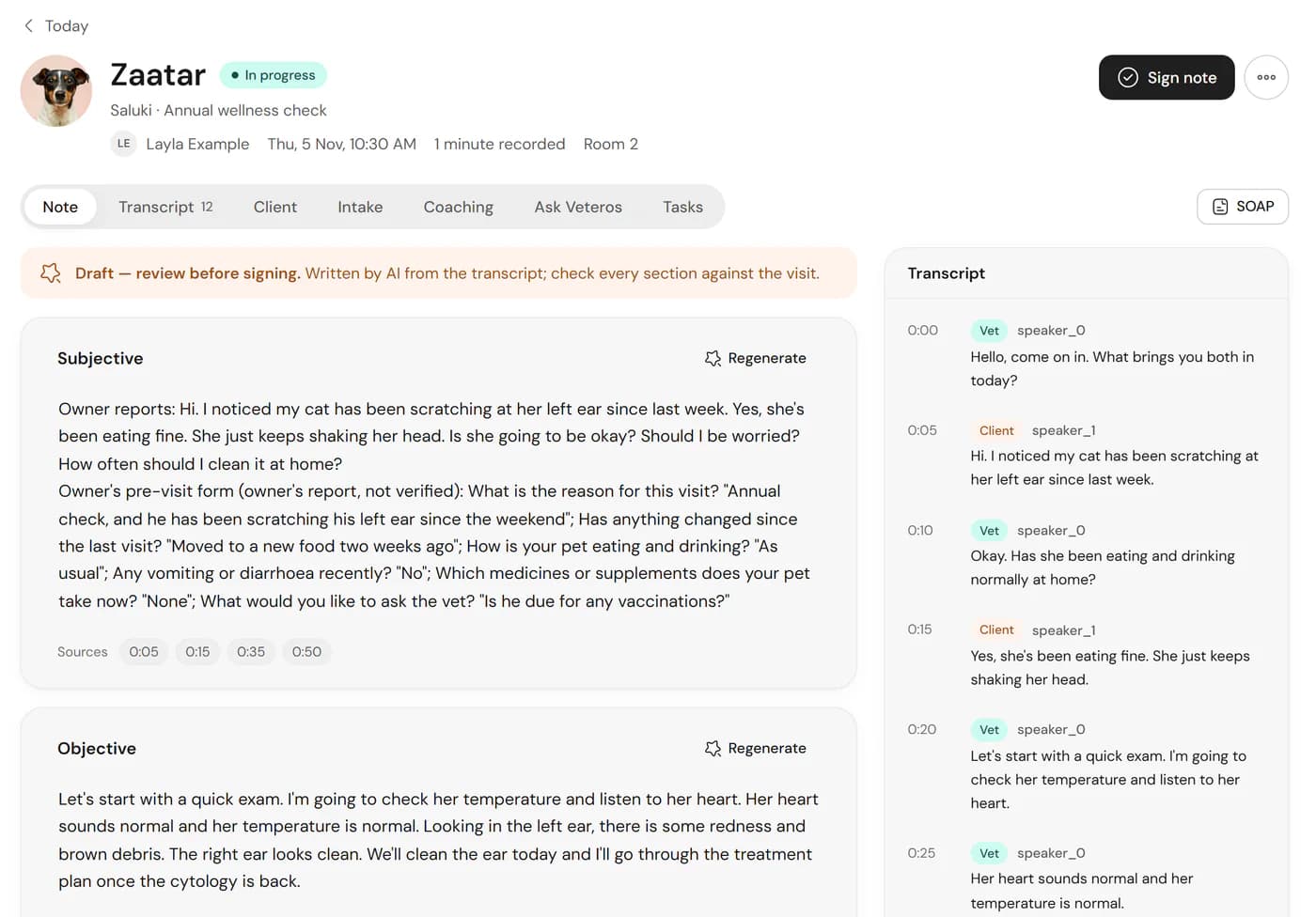
4. Review and sign
Check each section against its source, edit what needs changing, regenerate a section if you want, then sign. Only veterinarians can sign.
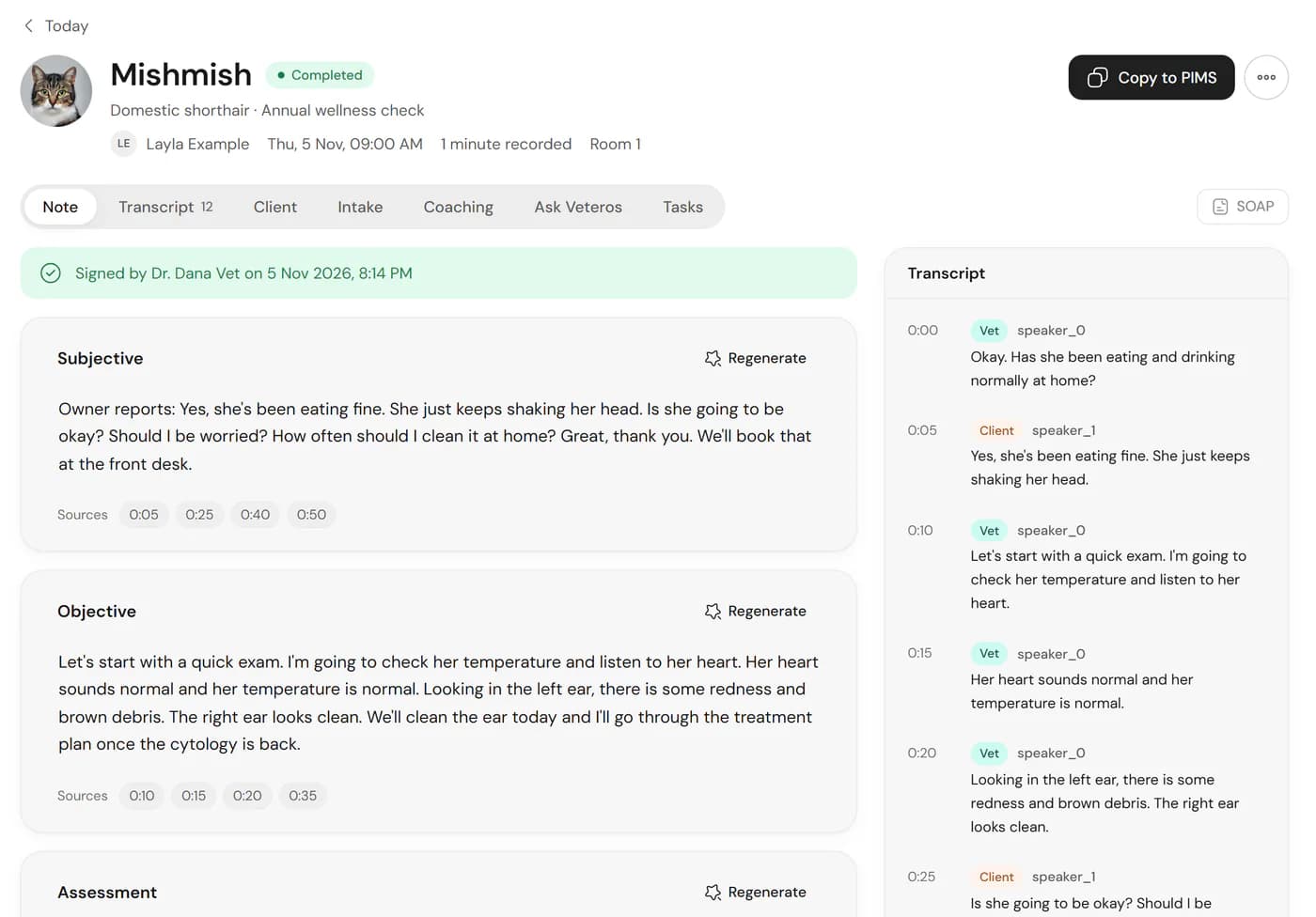
5. Copy or export
Copy the signed note to paste into your practice system, or export it as text or PDF.
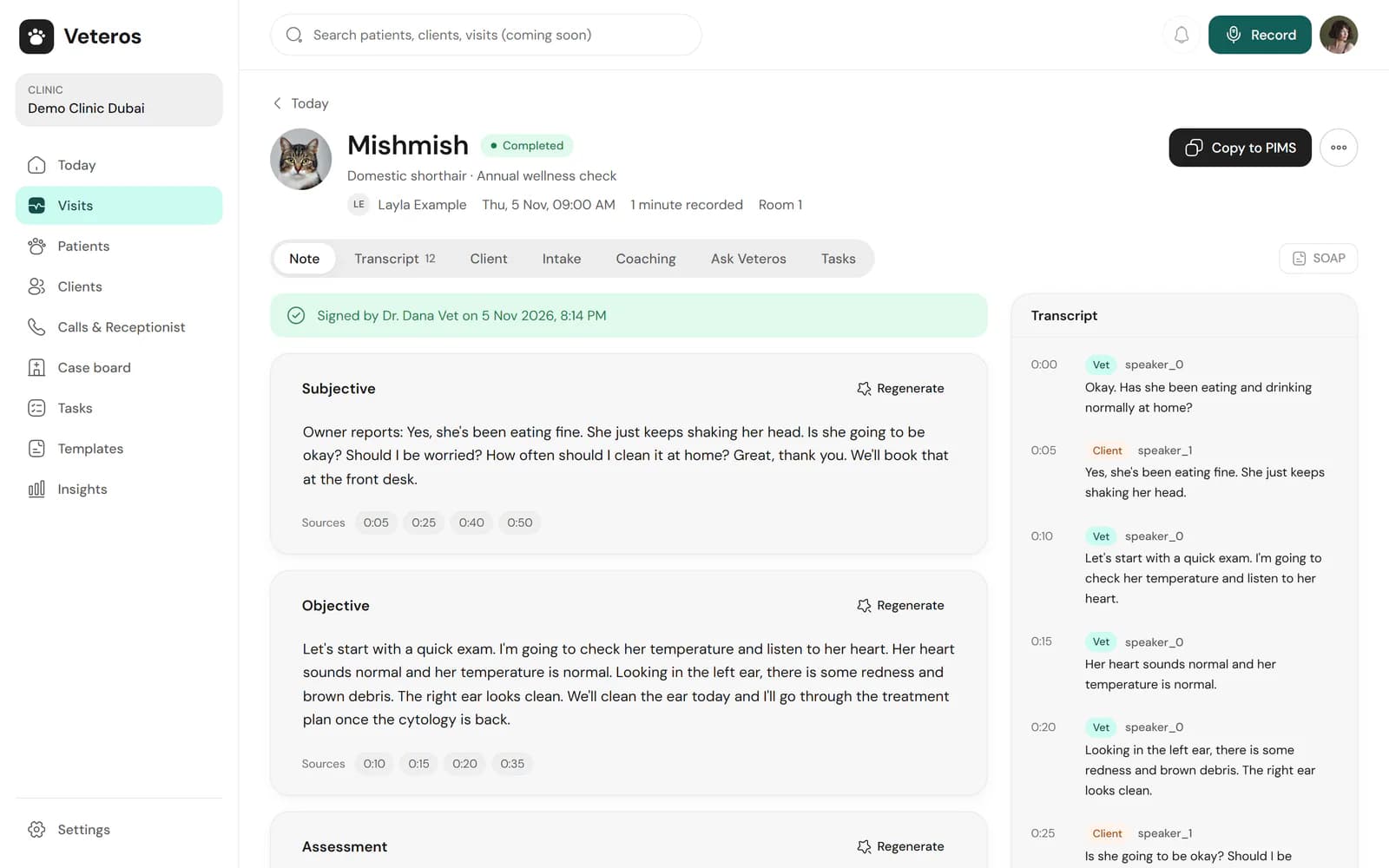
Real Veteros screen. Every patient, owner and clinic shown is fictional demo data.
Workflow questions
Do I need to install anything?
No. Veteros is a web application. You can add it to your home screen as an installable web app if you prefer.
Which devices and browsers does it run on?
Veteros runs in a web browser and can be installed as a web app on phones, tablets and computers. Recording has so far been checked on desktop Chromium browsers; testing on real iPhone, Android, Safari and Firefox devices is still in progress, and we will publish the supported list once it is done. Native iOS and Android apps are planned, not built.
How does recording consent work?
Each clinic chooses its consent step: none, a notice, or explicit consent recorded before the visit, with an English and Arabic consent script. If a client withdraws consent, the recording is deleted and no draft is written. Follow the law where your clinic operates.
How long can a recording be?
Up to 60 minutes per recording, and a visit can have several recordings. You can also upload an existing audio file or dictate the note yourself.
Can one visit cover several pets?
Yes. A visit with more than one animal produces a separate draft note for each patient.
How does the note get into my PMS?
Copy the signed note with one click, or export it as text or PDF, then paste or attach it in your PMS.
See it with your own consultations
Sign up free and try it on your next consultation, with your own templates.