
Skip to content
Veteros

The consultation, drafted into your note.

Record the visit and get a structured draft in your template, with every section linked to what was said. You review it, sign it and move on.

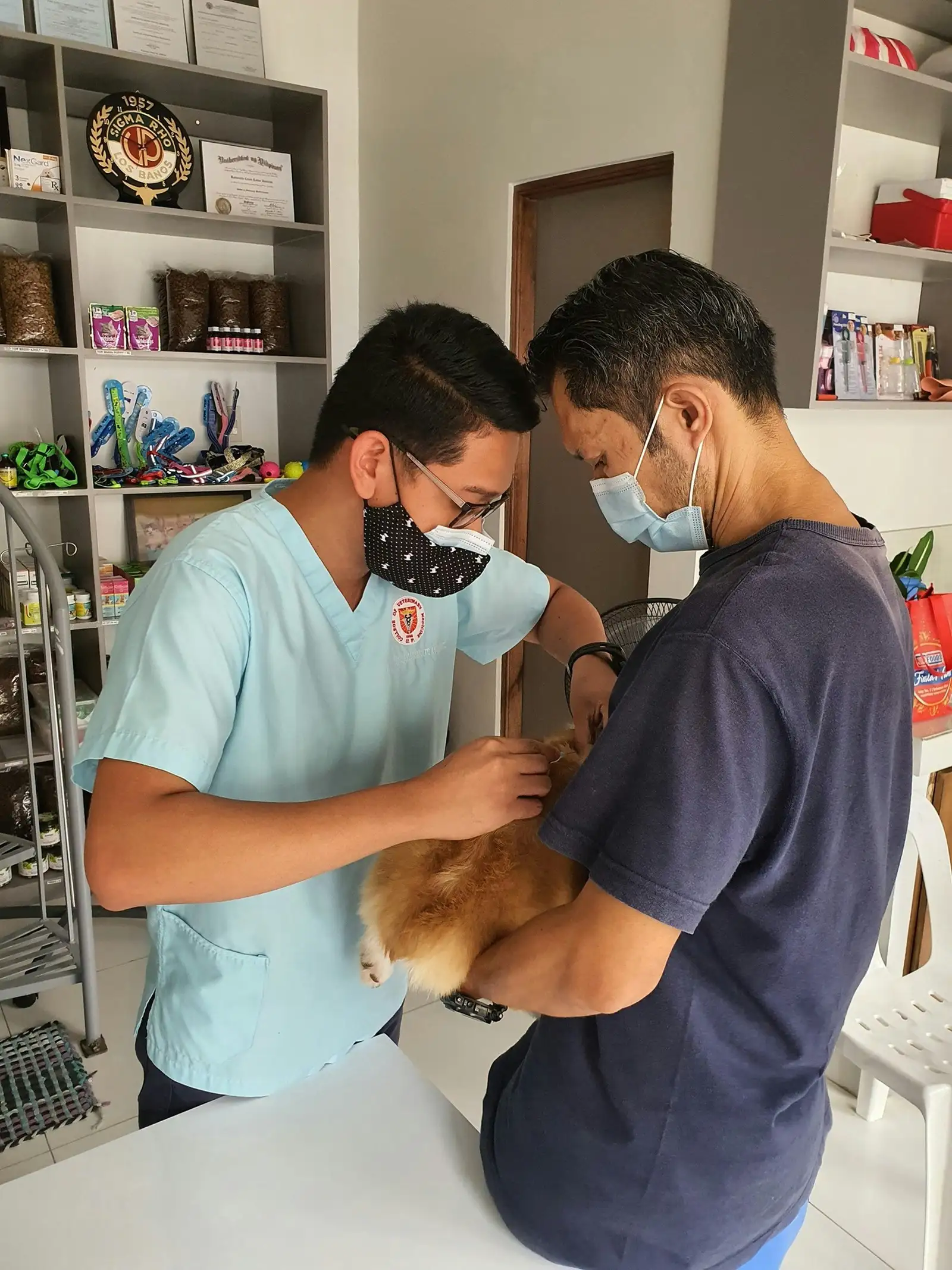
A veterinarian in scrubs examining a dog held by its owner

Same consultation. Less rewriting.

Writing it up yourself

  • Notes jotted between the exam and the owner’s questions
  • Rebuilding the history from memory at the end of the day
  • Retyping the plan again for the owner
  • Copying into the PMS one field at a time

With the AI Scribe

  • The conversation is captured while you examine
  • A draft arrives in your template, sections in order
  • An owner-friendly summary is drafted from the signed note
  • One click copies the signed note for your PMS

We don’t quote minutes saved: we have not measured them in real clinics yet.

Three ways to capture a visit

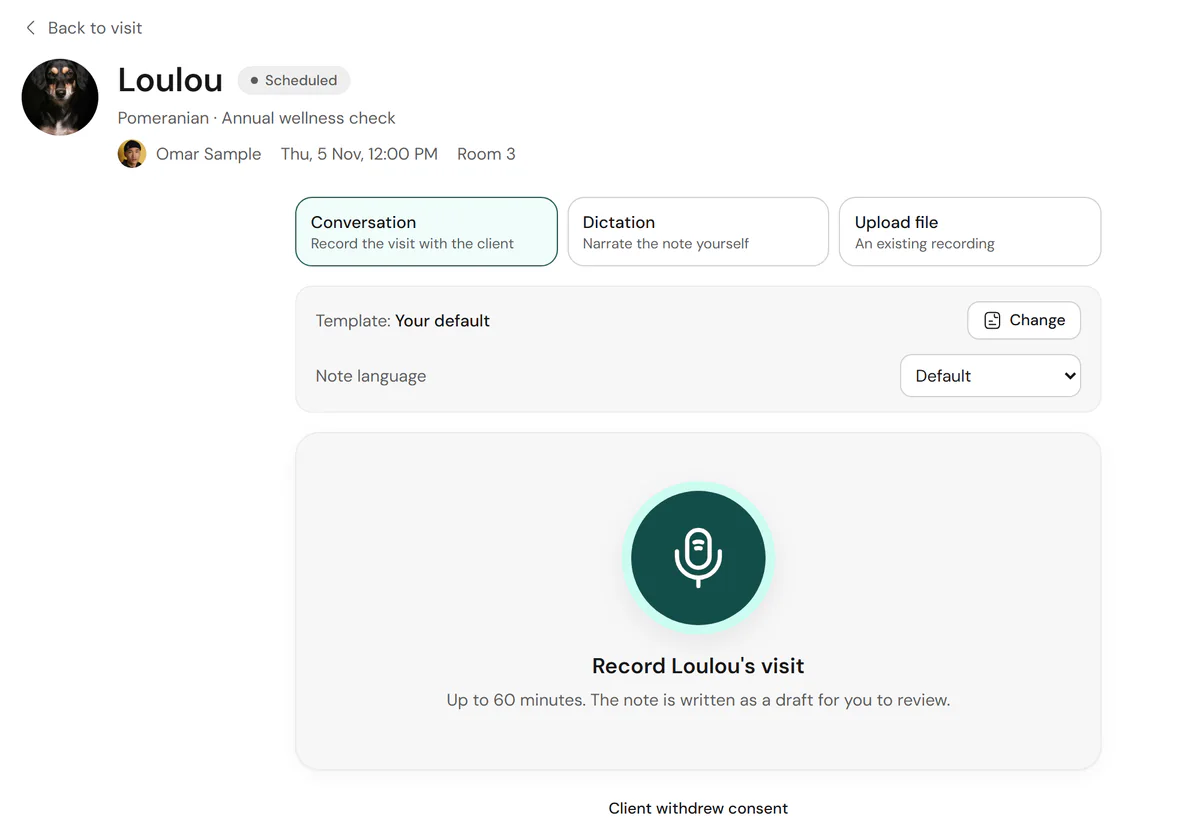
Record the conversation in the room, dictate the note yourself after the exam, or upload an existing recording. A visit can hold several recordings of up to 60 minutes each.

  • Conversation, dictation or upload
  • Template and note language chosen before you start
  • Clinic recording-consent policy applied first
The recording screen with conversation, dictation and upload modes.

Who said what, kept apart

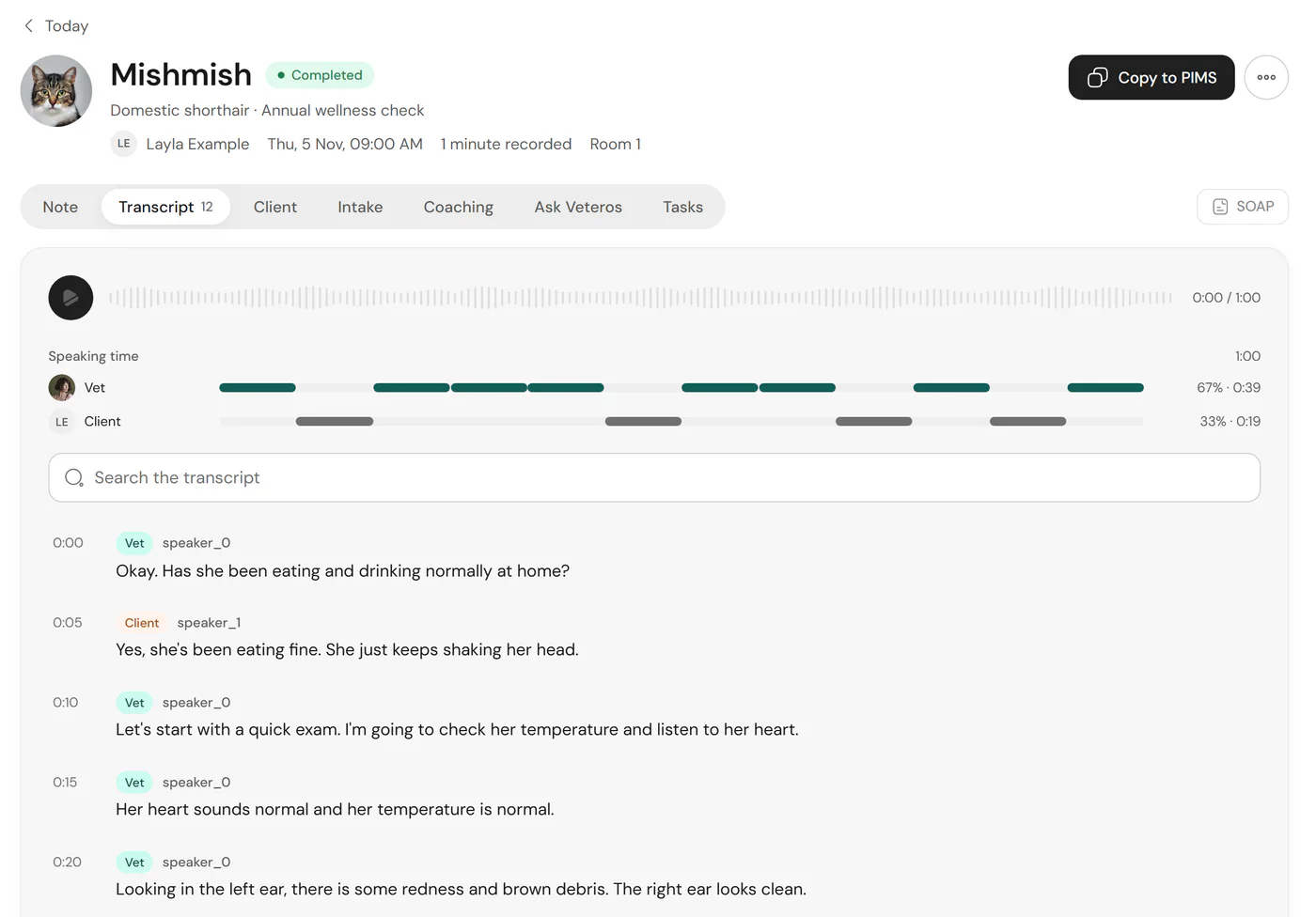
The transcript separates the voices and labels the veterinarian and the owner from what each says. Search it, see speaking time, and jump to any moment.

  • Speaker separation with vet and client labels
  • Searchable, time-stamped transcript
  • Less reliable with overlapping or similar voices; the transcript is always there to check
A transcript with vet and client turns and speaking-time bars.

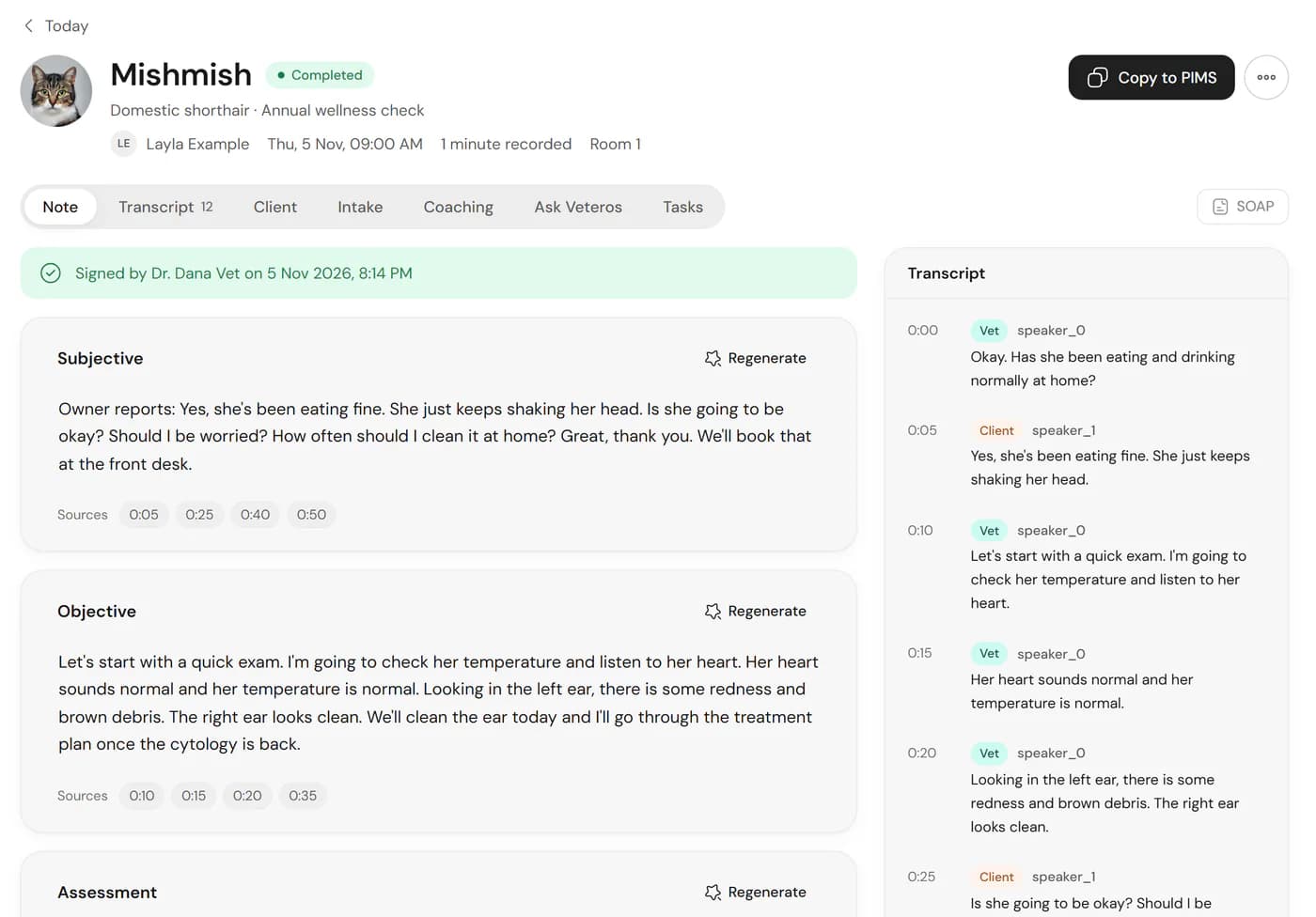
A SOAP draft you can check line by line

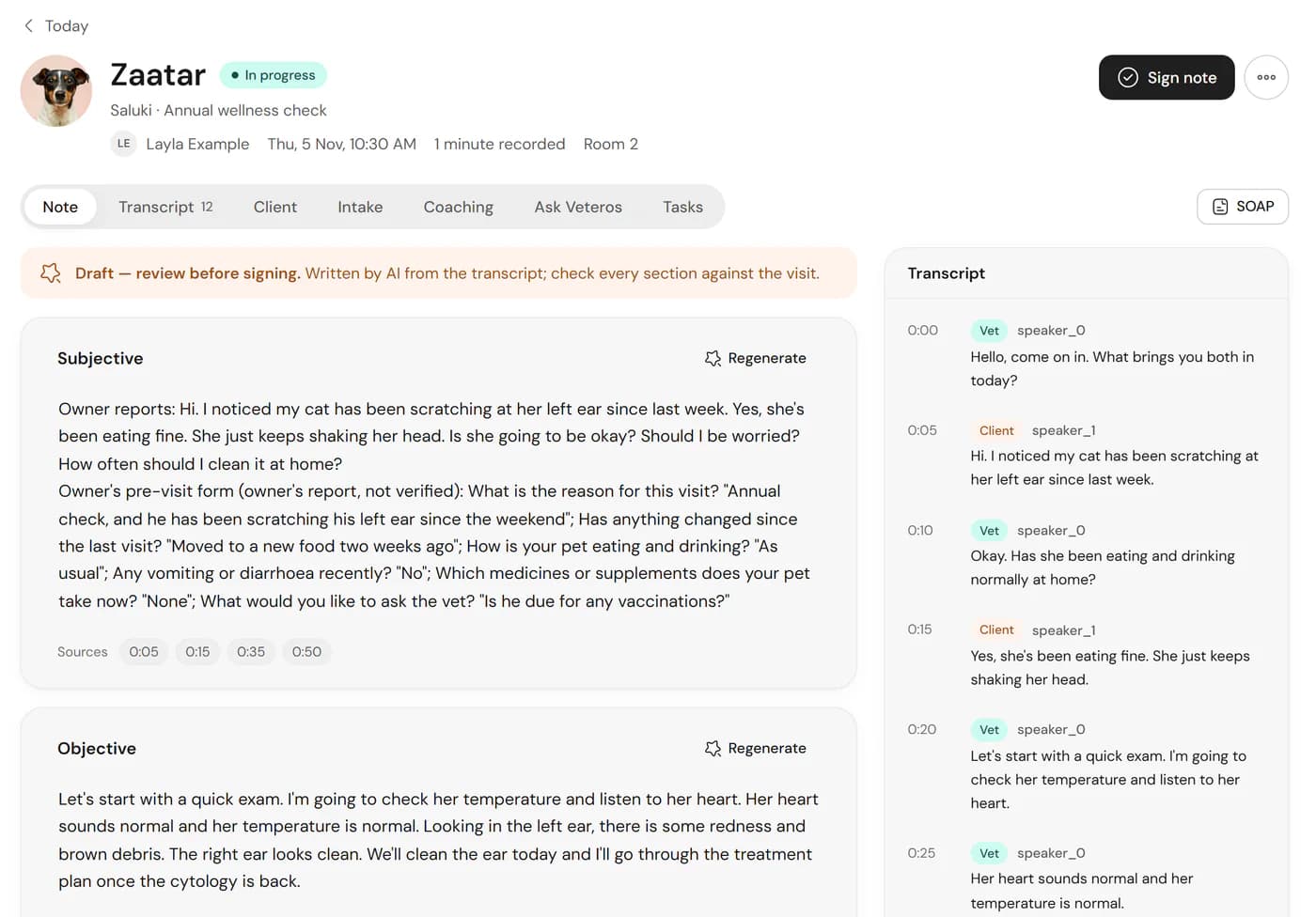
The draft follows your template exactly. Each section cites the transcript moments it came from, writes “Not discussed” when something wasn’t covered, and stays labelled as a draft until a veterinarian signs.

A SOAP draft with numbered call-outs: the draft label, the regenerate button, source chips and the transcript panel.
  1. Draft label until a vet signs
  2. Regenerate one section on its own
  3. Source chips link each section to the transcript
  4. The transcript, side by side

Make it read like you wrote it

Edit any section directly, regenerate a single section, and set how drafts are written: prose or bullets, abbreviations, brief or detailed. An optional adaptive style learns from your own signed edits.

  • Inline editing with version history
  • Prose or bullets, brief to detailed
  • Adaptive style, visible only to you

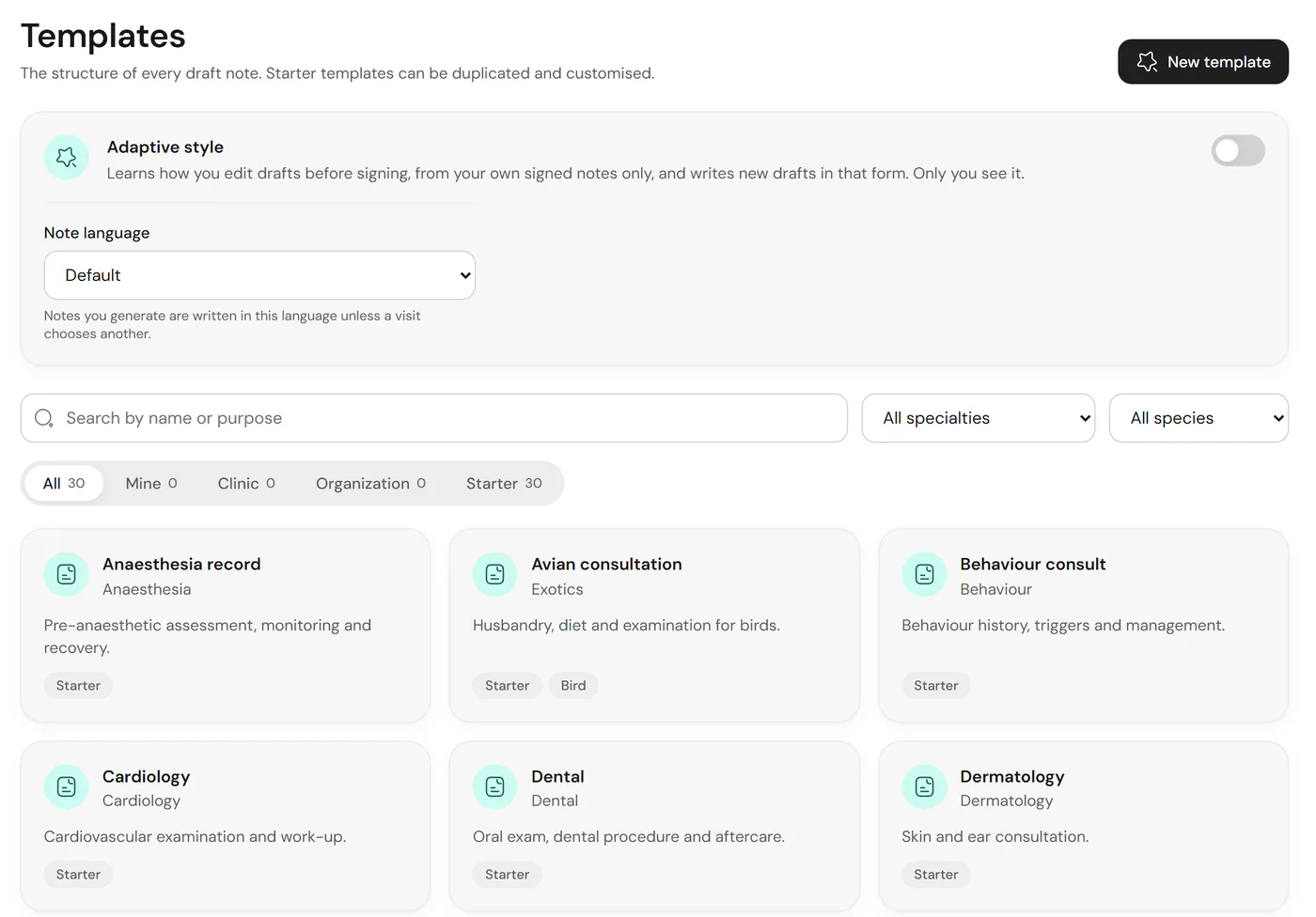
Thirty clinical templates to start from

SOAP, wellness, dental, surgery, emergency triage, referral letters and more, each ready to duplicate and adjust.

The template library with specialty filters.

Check the source, not the recording

Source-linked

Check the source, not the recording

Under each section, source chips show the moments in the recording the text came from. Select one and the transcript jumps there. Reviewing a draft becomes checking, not re-listening.

Multilingual

Speak one language, document in another

Use the interface in English or Arabic, and choose the language each note is written in. The transcription model accepts consultations that mix Arabic and English; we are still validating quality on recorded Arabic speech, so review those drafts carefully.

Multi-pet

One appointment, one note per patient

When a family brings two cats or a dog and a rabbit, the consultation is split into a separate draft for each animal, each signed on its own.

Nothing is final until a vet signs

Only veterinarians can sign. Background jobs and models cannot, by design. Every edit and signature is kept in the note’s version history.

A signed note showing who signed it and when.

Into your PMS in one step

Copy the signed note to paste into your practice system, or export it as text or PDF. Direct write-back to practice systems is built but still in validation.

Real Veteros screen. Every patient, owner and clinic shown is fictional demo data.

AI Scribe questions

Does the AI write the final note?

No. The AI writes a draft. A veterinarian reviews it, edits anything that needs changing and signs it. Nothing is signed, sent or acted on because a model produced it.

How accurate are the drafts?

We do not publish an accuracy figure. Our internal tests so far use short, fictional consultations, and real consultations with background noise, accents and several speakers will be harder. That is why every section links back to the transcript it came from and why a clinician signs every note.

What does "source-linked" mean?

Each part of the draft cites the transcript moments it was written from. Select a source chip and you jump to that moment, so you can check a statement against what was actually said before you sign.

What happens when something was not discussed?

The draft says "Not discussed" for that section rather than filling it in. You can add it yourself before signing.

Does Veteros diagnose or recommend treatment?

No. Veteros structures what the veterinarian said during the consultation. It does not diagnose, suggest treatment or give medical advice, and medical or pricing questions from clients are always for your team.

How long can a recording be?

Up to 60 minutes per recording, and a visit can have several recordings. You can also upload an existing audio file or dictate the note yourself.

Can I document in Arabic and English?

Yes. The interface is available in English and Arabic with a full right-to-left layout, and each clinician can choose the language the note is written in, which may differ from the language spoken in the room. Consultations that mix Arabic and English are supported by the transcription model, but we have not yet measured transcription quality on recorded Arabic speech, so please review those drafts with extra care.

Which devices and browsers does it run on?

Veteros runs in a web browser and can be installed as a web app on phones, tablets and computers. Recording has so far been checked on desktop Chromium browsers; testing on real iPhone, Android, Safari and Firefox devices is still in progress, and we will publish the supported list once it is done. Native iOS and Android apps are planned, not built.

Try the AI Scribe with your own consultations

Sign up free and record your first visit today.